Start Using AI Today—Even If Technology Usually Intimidates You
Introduction: You're Not Too Late (And This Isn't Just for Tech People)
Let me tell you something important: You're not behind.
I know it feels that way. Everyone's talking about AI. Your kids or grandkids mention it. You see it on the news.
Maybe you think, "I'm too old for this," or "I'm not tech-savvy enough."
I'm here to tell you that's not true.
You Don't Need to Be "Tech-Savvy" to Use AI
If you've been hearing about AI everywhere but feel overwhelmed or unsure where to start, you're not alone. Many people worry that AI is too complicated, too expensive, or "not for people like me."
The truth? The right AI tools are surprisingly simple to use—and they can help with everyday tasks, save you hours every week, and make your life genuinely easier.
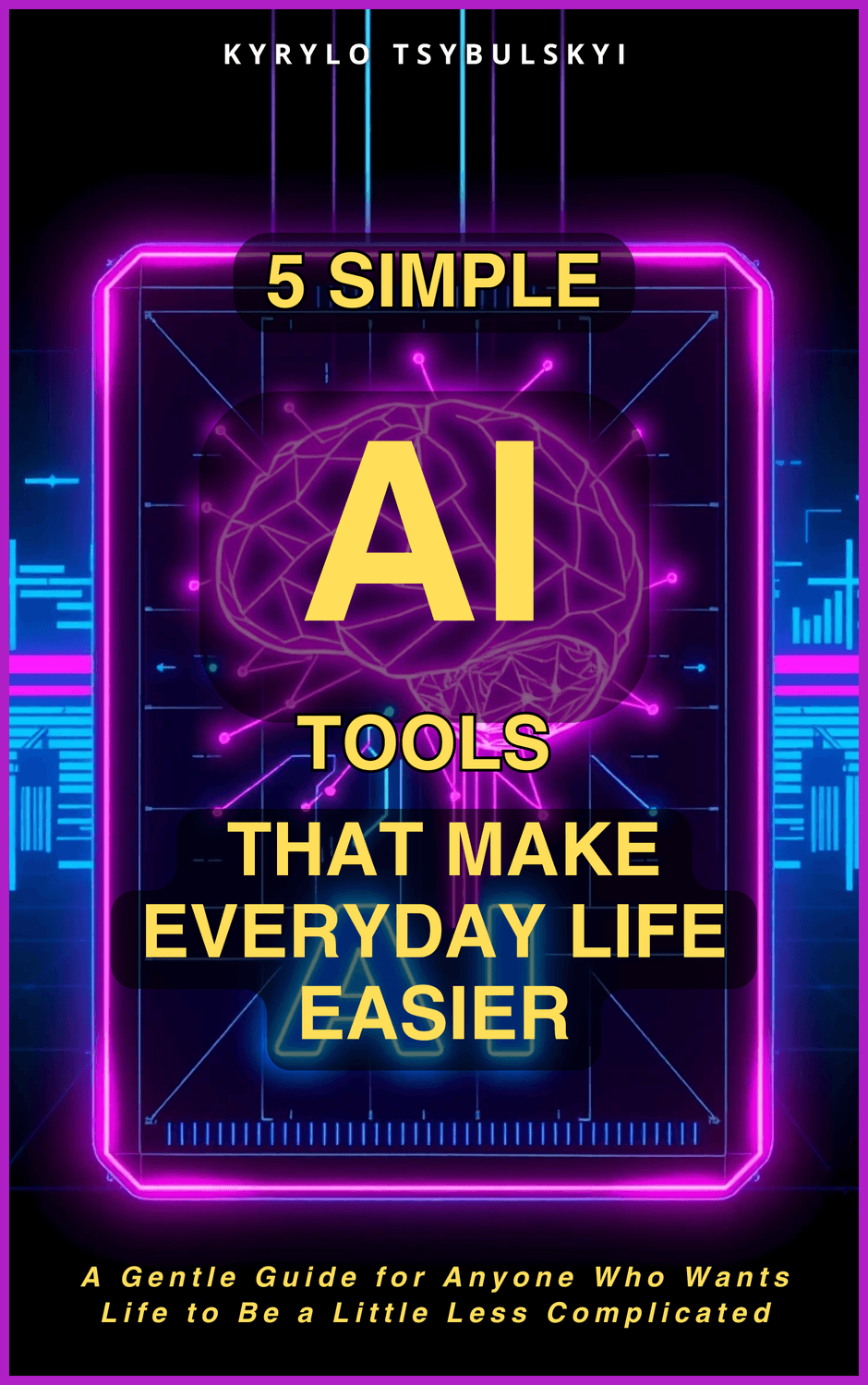
This free guide introduces you to 5 beginner-friendly AI tools that require no technical knowledge, no coding, and no complicated setup. Just practical help for the things you already do.
What You'll Discover Inside This Free Guide
Meet Your 5 New Digital Assistants:
1. Claude.ai – Your Patient Reading Assistant
Imagine having someone who can read through long documents, emails, or reports and explain them to you in plain English. Claude can process up to 200,000 words (that's like reading 3 full books) and answer your questions about what it read.
Perfect for:
Understanding medical documents or insurance policies
Summarizing lengthy emails from your kids' school
Getting the key points from news articles or research
Reviewing contracts before you sign them
2. Gemini – Your Google Helper
If you use Gmail, Google Docs, or Google Drive, Gemini works inside the tools you already know. It can find that email you can't remember, summarize long email threads, or pull information from multiple documents without you digging through folders.
Perfect for:
Finding old family photos scattered across Google Photos
Organizing recipes you've saved in different Google Docs
Searching through years of emails to find important information
Summarizing long email conversations with multiple people
3. NotebookLM – Your Personal Research Partner
Upload your own documents, articles, or notes, and NotebookLM becomes an expert on YOUR materials. Ask it questions and it will answer based only on what you gave it—with references so you can verify everything.
Perfect for:
Organizing research for a hobby or personal project
Studying new topics (gardening, cooking, history, etc.)
Preparing for medical appointments by uploading your records
Planning a big trip by uploading travel guides and reviews
4. Leonardo.ai – Your Image Creator
Need an image for a presentation, social media post, or project? Describe what you want in simple words and Leonardo creates it for you. No design skills required.
Perfect for:
Creating birthday or holiday party invitations
Making custom images for social media posts
Designing greeting cards or thank you notes
Creating visuals for a community newsletter or church bulletin
5. Ideogram – Your Quick Visual Generator
When you need an image fast, Ideogram generates professional-looking results in seconds with minimal effort.
Perfect for:
Quick graphics for Facebook posts or family announcements
Illustrations for a blog or personal website
Images for presentations or school projects (helping grandkids!)
Creating custom wallpapers or prints for your home
Simple Comparison: Which Tool Does What?
AI Tool
What It Helps You Do
Who It's Great For
Gemini
Organize your Google Workspace
Gmail and Google Drive users with cluttered inboxes
NotebookLM
Research your own materials
Learners, hobbyists, students, researchers
Ideogram
Generate images quickly
Anyone needing visuals fast for any purpose
Your Gentle 4-Week Getting Started Plan
You won't have to learn everything at once. This guide includes a step-by-step plan designed specifically for beginners:
Week 1: Choose Your First Tool
Pick the one tool that solves your biggest current frustration. The guide helps you decide which one to start with based on your specific needs—whether that's organizing emails, understanding documents, or creating images.
Week 2: Practice with Small Tasks
Use your chosen tool for just 10-15 minutes a day on simple, low-pressure tasks. Build confidence before tackling bigger projects. Start with something easy and fun—no pressure.
Week 3: Add a Second Tool
Once you're comfortable with the first tool, the guide shows you which second tool complements it best for your situation.
Week 4: Create Your Personal Workflow
Learn how to use your two tools together to handle tasks that used to take hours. See real examples you can copy—whether you're planning events, managing household tasks, or pursuing hobbies.
Why This Guide Is Different
Written for Complete Beginners
No jargon, no assumptions that you already know anything about AI. Every step is explained in plain language with real-world examples.
Focus on Free or Low-Cost Tools
All 5 tools have free versions you can start with today. No credit card required to begin.
Practical, Not Theoretical
You'll get specific examples and simple instructions you can follow immediately—not vague concepts or technical explanations.
Addresses Your Concerns
The guide includes a section on common worries: "Is my data safe?" "Will this replace human connection?" "What if I make a mistake?" These fears are normal, and the guide addresses them honestly.
Who This Guide Is For
You've heard about AI but don't know where to start
Technology sometimes feels overwhelming to you
You're spending too much time on tasks that should be simple
You want to stay current but feel like you're falling behind
You're a retiree, parent, grandparent, hobbyist, small business owner, student, or anyone who wants life to be a little easier
What Happens After You Download
Immediately after entering your email, you'll receive:
Instant access to your free eBook (PDF format, easy to read on any device)
A welcome email with tips on which tool to try first based on your interests
Occasional helpful emails with practical AI tips and updates (you can unsubscribe anytime)
Plus a special bonus: You'll also get information about my complete beginner's book, "AI for Beginners: Your Success Blueprint", which includes a proven 3-part system, practical exercises, and absolutely no technical jargon.
About Your Guide
Hi, I'm Kyrylo Tsybulskyi. I created this guide because I kept meeting people who felt left behind by the AI revolution. They saw everyone talking about ChatGPT and felt intimidated, confused, or worried they were "too late" to learn.
The truth is: it's never too late, and you don't need to be technical.
I've spent about 2 years exploring and testing AI tools specifically to find the ones that are genuinely helpful for everyday people—not just tech enthusiasts. This guide is the result: 5 tools I personally use and recommend, explained in the simplest way possible.
My goal isn't to make you an AI expert. It's to give you practical tools that make your daily life easier, whether you're managing a household, pursuing hobbies, staying in touch with family, or running a small business.
Common Questions
"Do I need any technical knowledge?"
No. If you can use email and browse the internet, you can use these tools.
"Are these tools really free?"
All 5 tools have free versions that are genuinely useful. You're not limited to a "trial" that expires in 7 days.
"Will AI replace human connection or creativity?"
These tools are designed to handle tedious tasks so you have MORE time for the human things that matter—creativity, relationships, hobbies, and experiences. Think of them as helpers, not replacements.
"What if I get stuck or confused?"
The guide includes troubleshooting tips and clear instructions. Plus, all these tools have simple help centers if you need them.
"Is my information safe with these tools?"
The guide includes a straightforward section on privacy and data safety for each tool so you can make informed decisions.
"I'm retired/a stay-at-home parent/not running a business. Is this still for me?"
Absolutely! These tools help with everyday life tasks—organizing photos, planning events, understanding documents, creating invitations, researching hobbies. You don't need to run a business to benefit.
Start Your AI Journey Today—Risk Free
There's no catch, no credit card required, and no obligation. Just enter your email below and you'll get instant access to the guide.
You have nothing to lose and hours of time to gain back every week.
Your email is safe with me. I respect your privacy and you can unsubscribe anytime with one click.
A Simple Way to Think About This
Imagine you hired 5 part-time assistants who work for free, never complain, and are available 24/7. One specializes in reading documents. Another organizes your Google files. A third helps with research. Two more create images for you.
That's what these 5 AI tools do. You're not learning "artificial intelligence"—you're simply gaining 5 helpful assistants that make everyday life easier.
The only difference between people who benefit from AI and those who don't? The ones who benefit took the first small step.
This guide is that first step.
We respect your privacy. Unsubscribe at any time.
Kyrylo Tsybulskyi All Rights Reserved | Privacy Policy
Privacy Policy
Lorem ipsum dolor sit amet, consectetur adipisicing elit. Autem dolore, alias, numquam enim ab voluptate id quam harum ducimus cupiditate similique quisquam et deserunt, recusandae.
Don't Miss Out:
Fill the form and get your free e-Book Now!
We respect your privacy. Unsubscribe at any time.